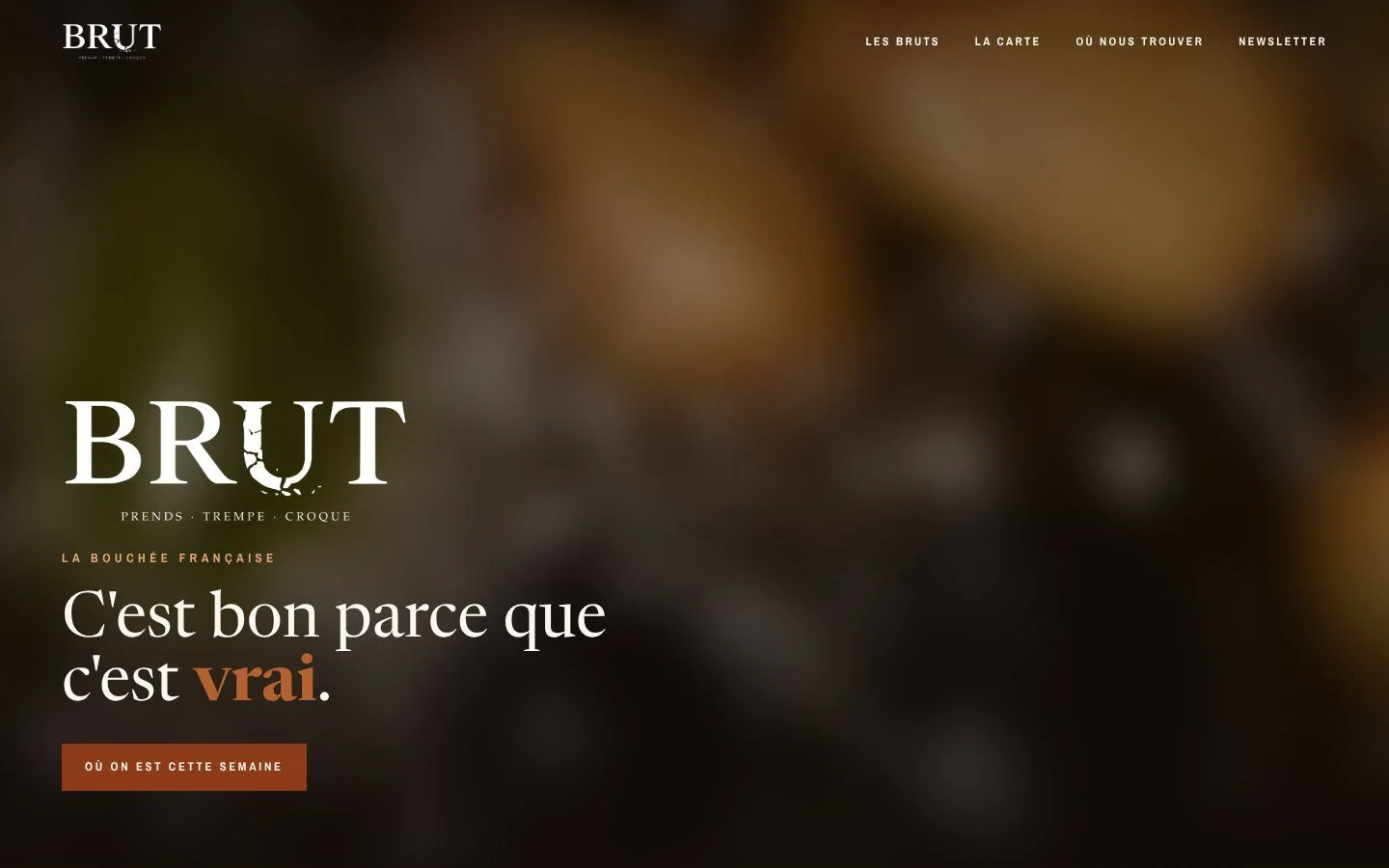
- client
- BRUT, “la bouchée française”, a food truck in Tours, France
- role
- Design, development, support for the client.
- period
- Sept 20 → Oct 14, 2026, at the pace of the client’s feedback
- stack
- Next.js 16, Tailwind v4, shadcn/ui · Neon · Vercel, BotID, Web Analytics · Brevo · Tiptap
- in numbers
- 47 commits, ~14,000 lines of TypeScript, 137 tests, 19 pages of documentation
01 · context
One truck, five addresses
BRUT sells fried bites, crispy outside and melting inside, three recipes and a single sauce, from a truck that parks in a different spot around Tours every week. A customer’s first question is not “what is it?”, it is “where are you this week?”.
The brief came down to four verbs: tell people where to find the truck, make them hungry, collect sign-ups to announce the dates, collect reviews. One constraint shaped everything: I was leaving to spend a year abroad. The founder had to be able to change a date, a price or a photo without me, and without breaking anything.
02 · product
What the visitor sees
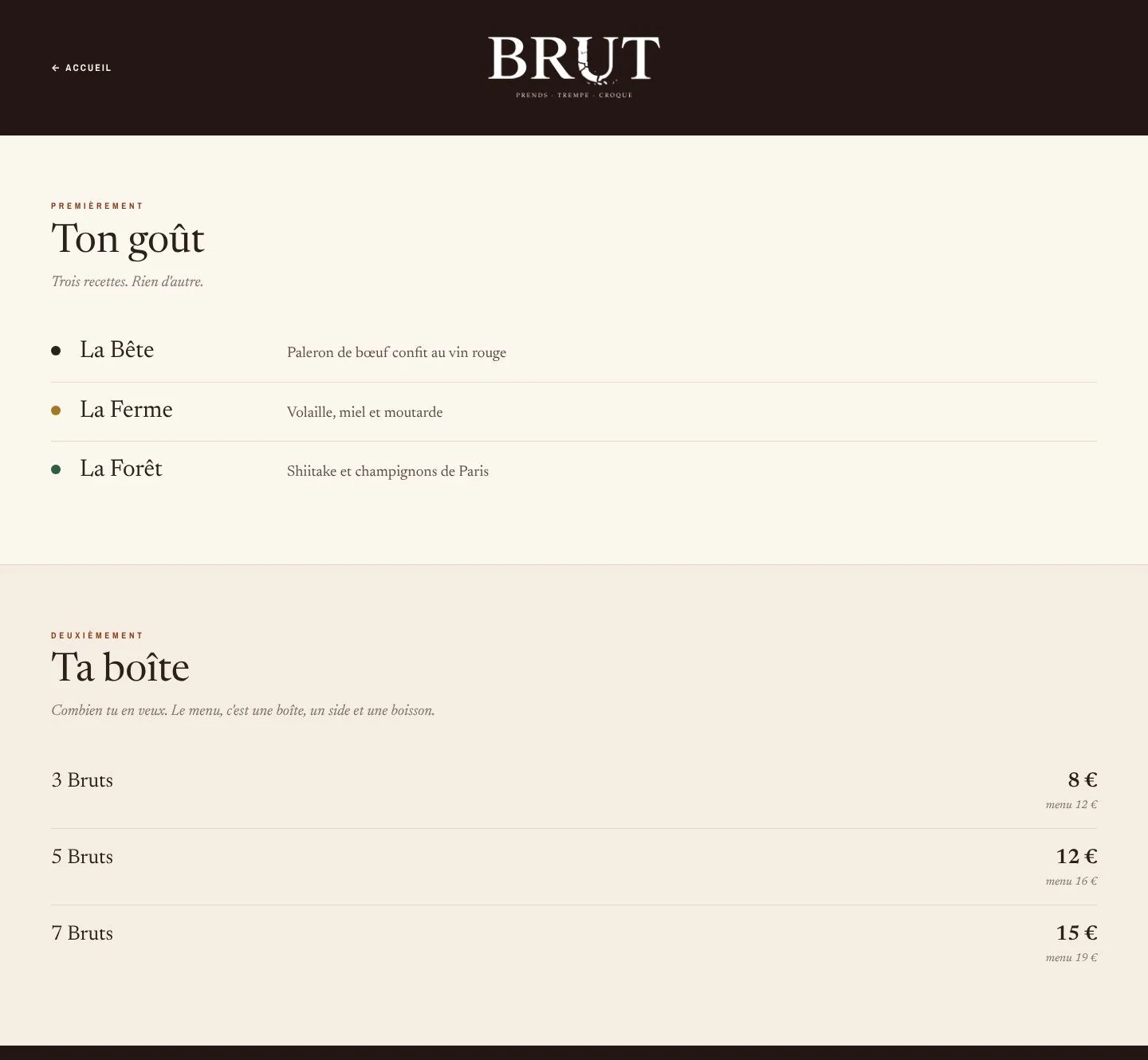
A home page that reads from top to bottom like a visit to the truck: a video, the ritual (grab, dip, bite), the three recipes, the menu, the locations, the newsletter, the contact. Three versions of this page were built side by side so the client could choose; the third one won.
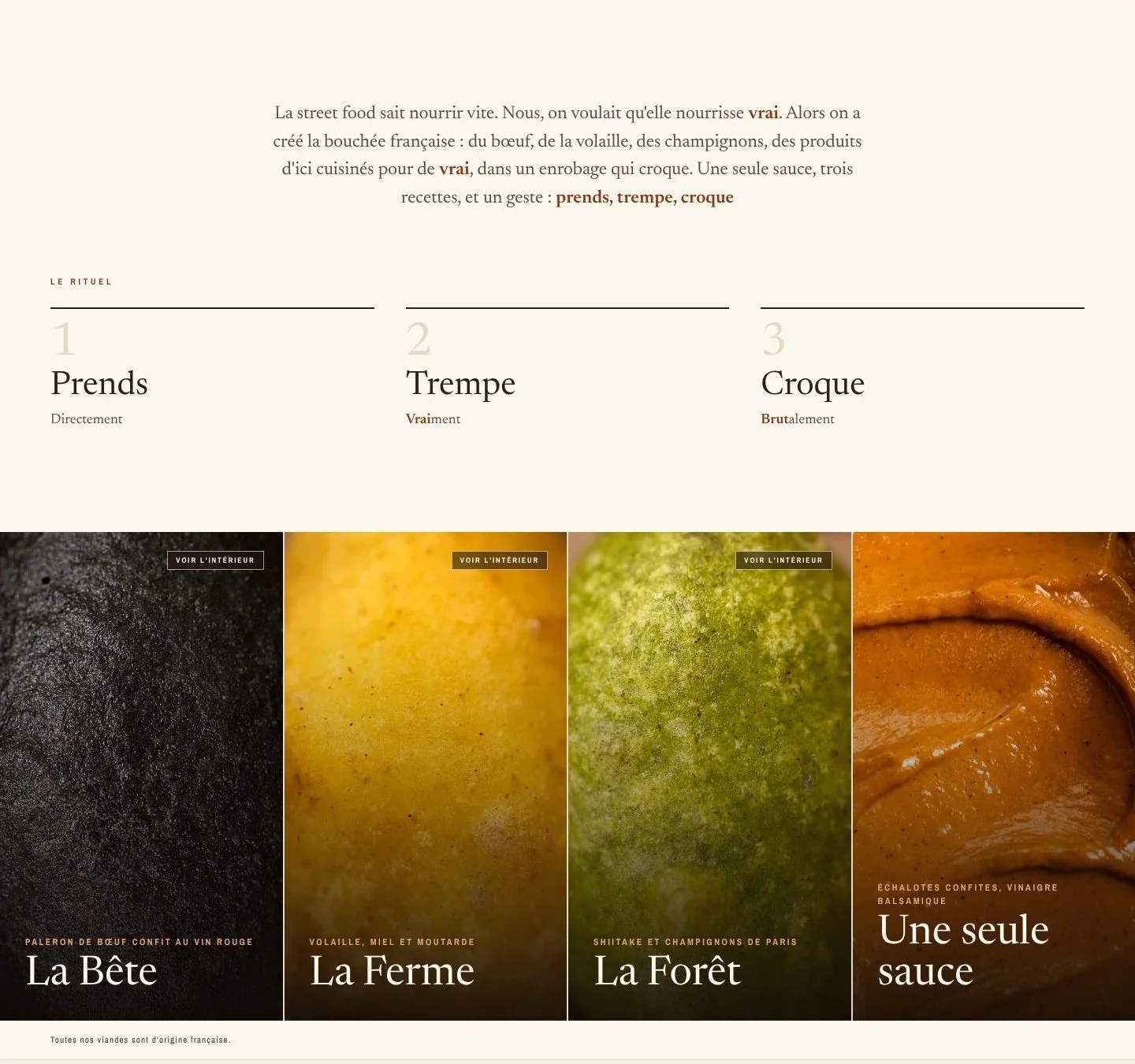
Locations, without an interactive map
The first version used a Leaflet map. It was replaced by an illustrated map of the Tours area, a plain image, with numbered dots: lighter, better looking, and easier to read for five points. Each dot opens a bubble with the period, the place and the opening hours.
Dates are entered with a start and an end: past locations disappear on their own, without anyone having to remove them. And “Get there” does not choose for the visitor: it offers Google Maps, Apple Maps, or copying the address.
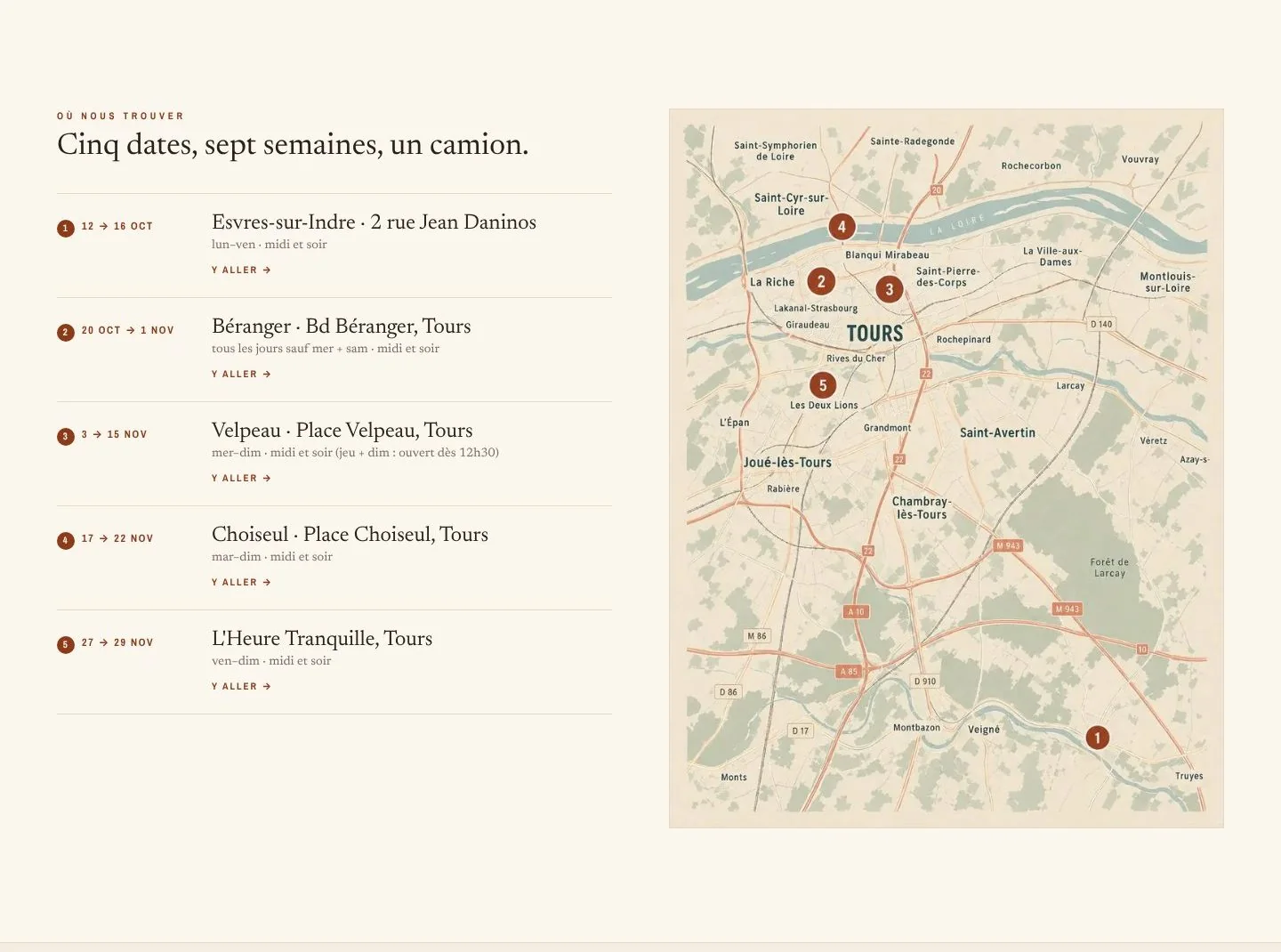
The /menu page reuses the design of the truck’s printed menu, so that online you find exactly what you read at the counter.
03 · architecture
The architecture
A showcase site, but one whose entire content lives in a database. The equation to solve: pages as fast as a static site, and editable like a CMS, without paying for a CMS.
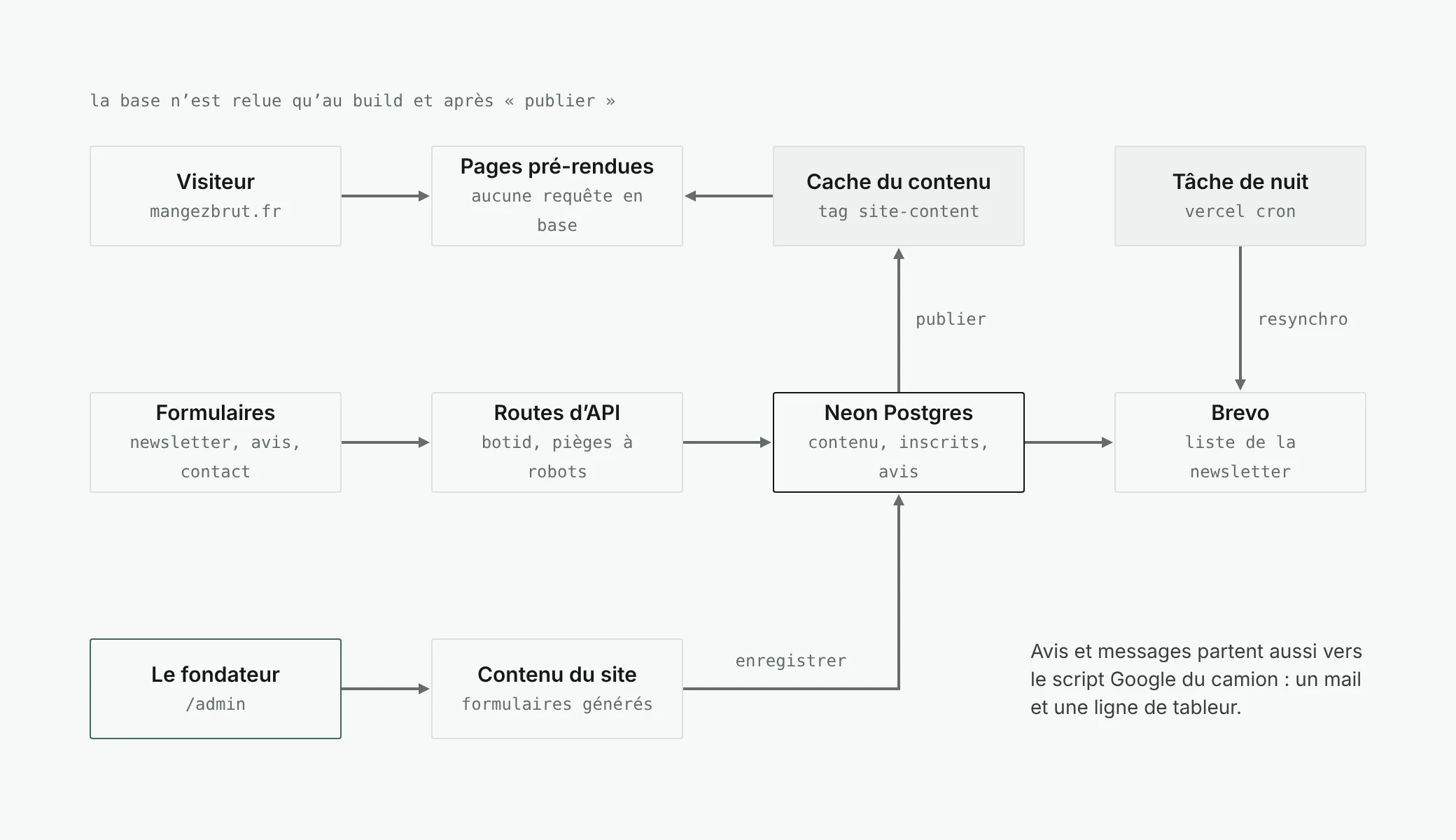
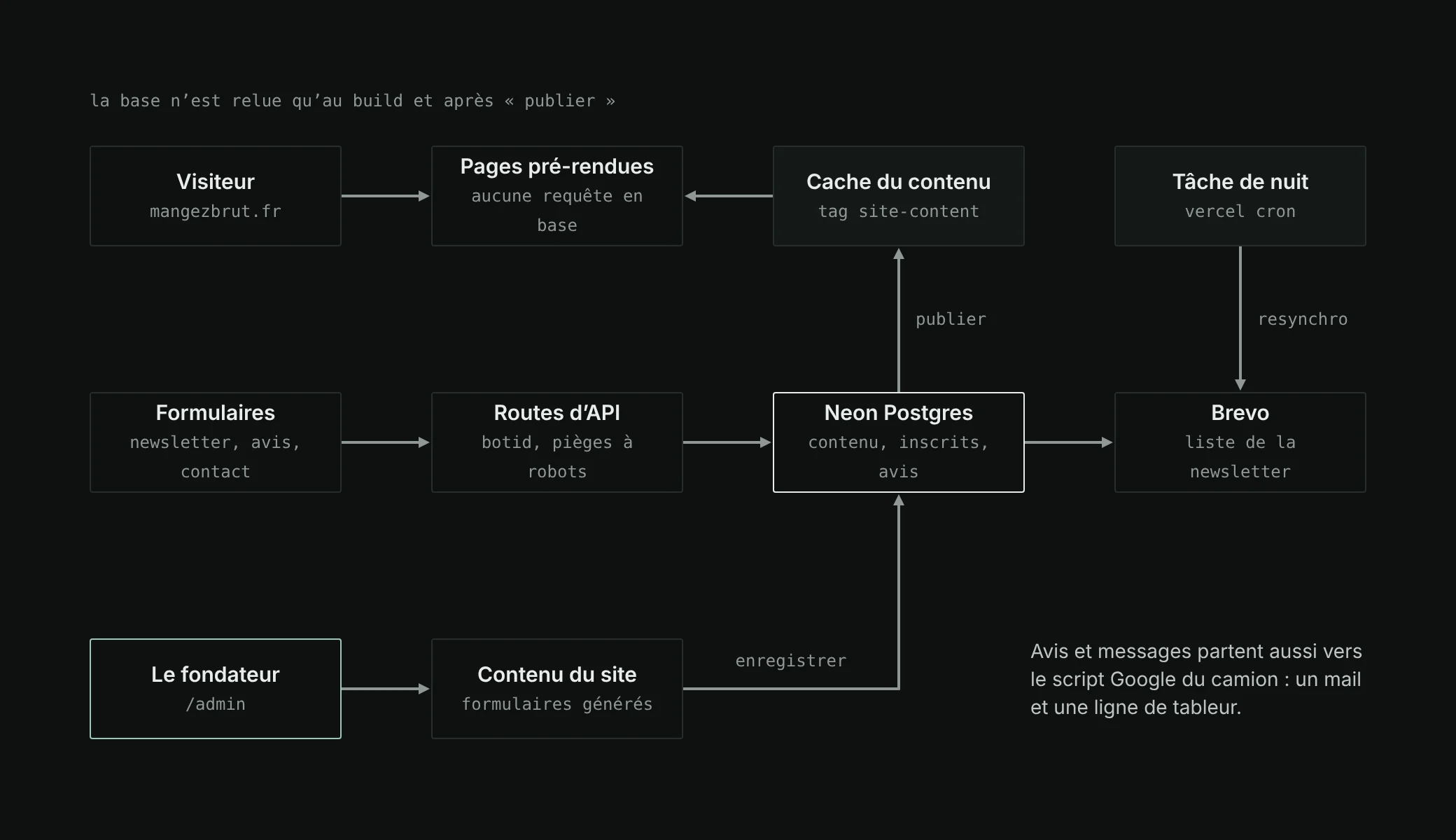
The centrepiece is a single read function, marked "use cache" and tagged site-content thanks to the Cache Components of Next.js 16. Public pages are pre-rendered with its result and served from the CDN. The admin’s “Publish” button invalidates that tag: the next visit reads the database again, then everyone gets the new version. The sitemap and the structured data follow the same cycle.
If the database cannot be reached, the site shows the default values written in the code and tries again a few minutes later. It never goes down because Neon has a hiccup.
04 · admin
An admin built for the truck
The admin is half of the project, and the half the founder uses every week. It comes down to two screens: a dashboard to see how things are going, and content editing to change what visitors see. It uses the site’s visual identity, so that he feels at home rather than in a back office.
The dashboard: everything at a glance
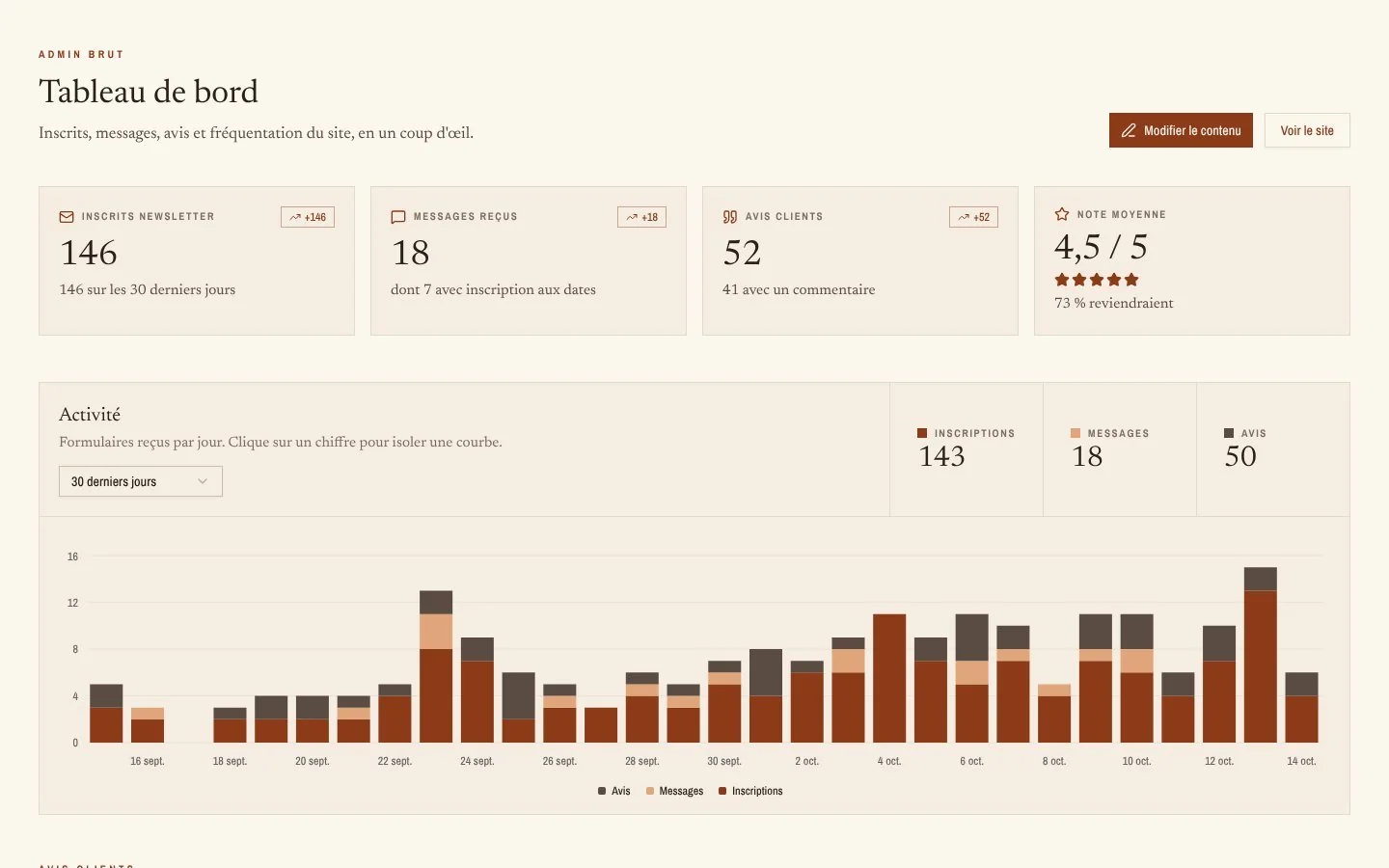
At the top, four figures with their thirty-day trend: newsletter sign-ups, messages received, customer reviews, average rating. Below, the activity day by day, the three forms stacked; clicking a figure isolates its curve. All the calculations are done by the database, one query per block: nothing is counted again in the browser.
What the reviews say
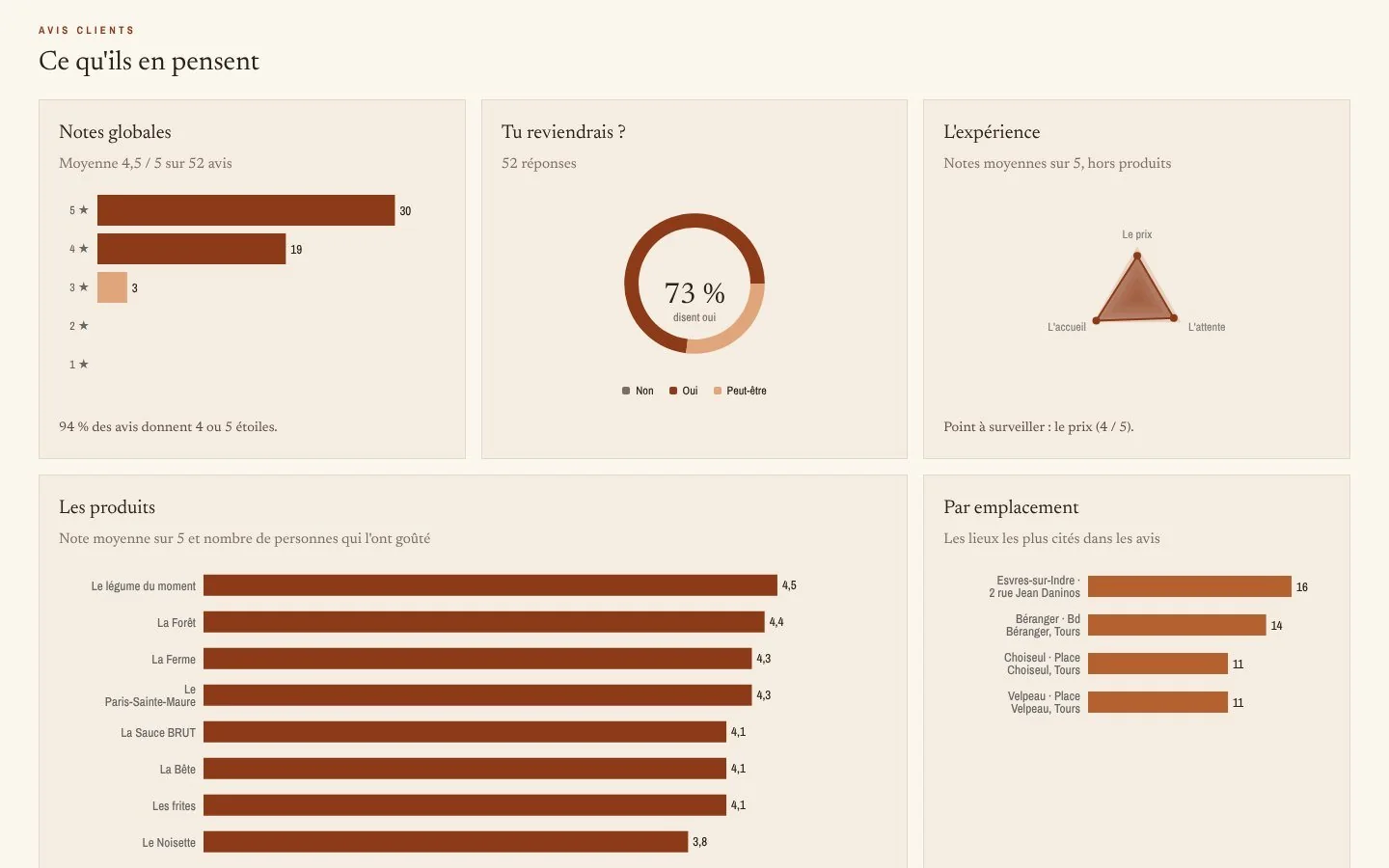
Reviews from the QR code do not end up in a spreadsheet nobody reads again. The dashboard reads them for him: distribution of ratings, share of customers who would come back, price, waiting time and welcome on a single chart, rating of each recipe, most cited locations. One sentence points out the current weak spot, “Point to watch: the price”, so he does not have to look for it.
Further down, where sign-ups come from and why people send messages, the site’s traffic read from Vercel Web Analytics, then the detail line by line: sign-ups, messages and reviews in tabs, with add, edit, delete and export to CSV or Excel. A button resyncs the newsletter with Brevo on demand.
Editing the content: one schema, forms
Every text, price, date and photo path is described once, in a schema. That schema generates the seventeen sections of the form, validates the input on the server and types the content the components read. Each field carries help written for the founder, not for a developer: “The location disappears from the site the next day.” Adding a field is one line of schema and a default value; the form follows.
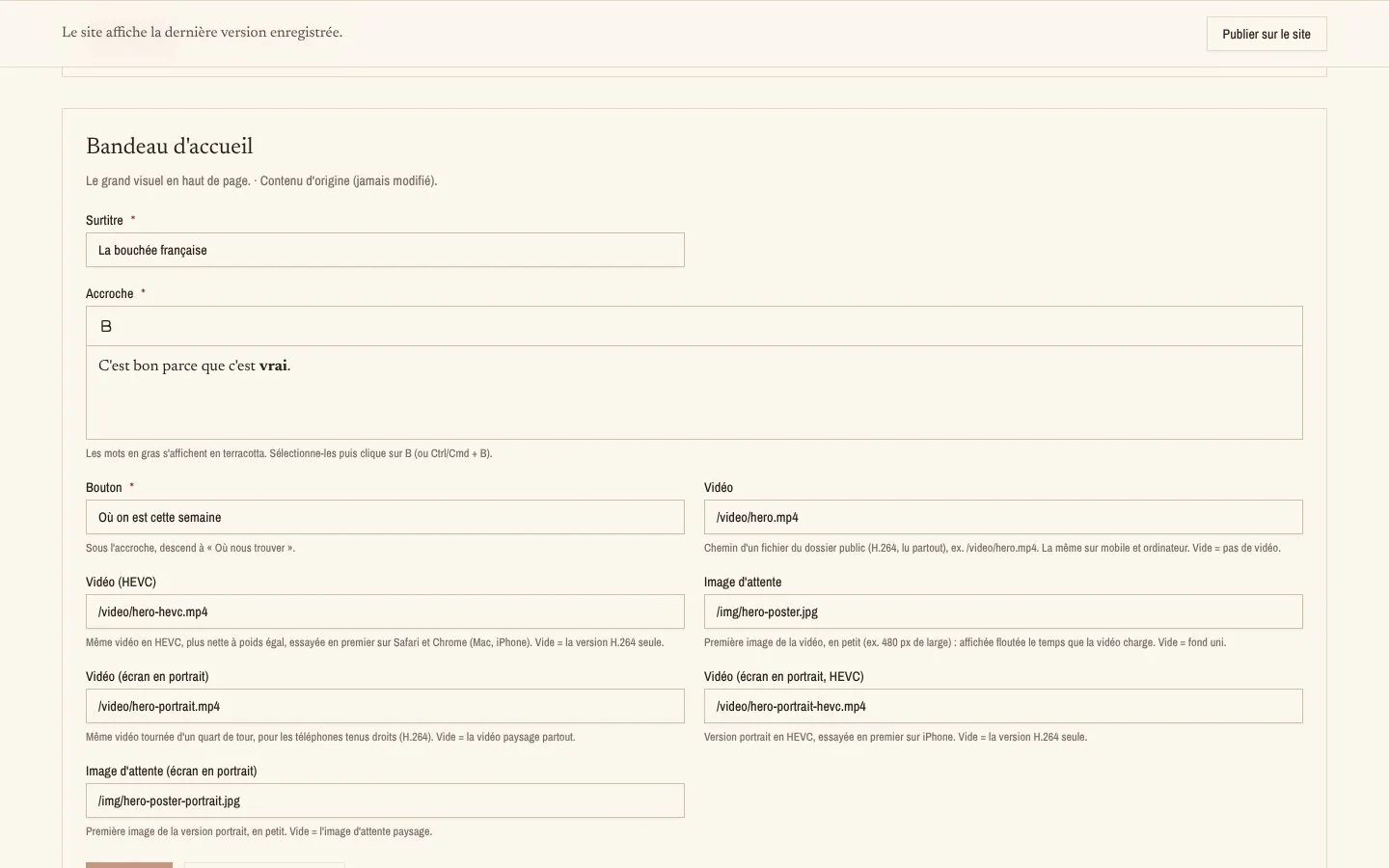
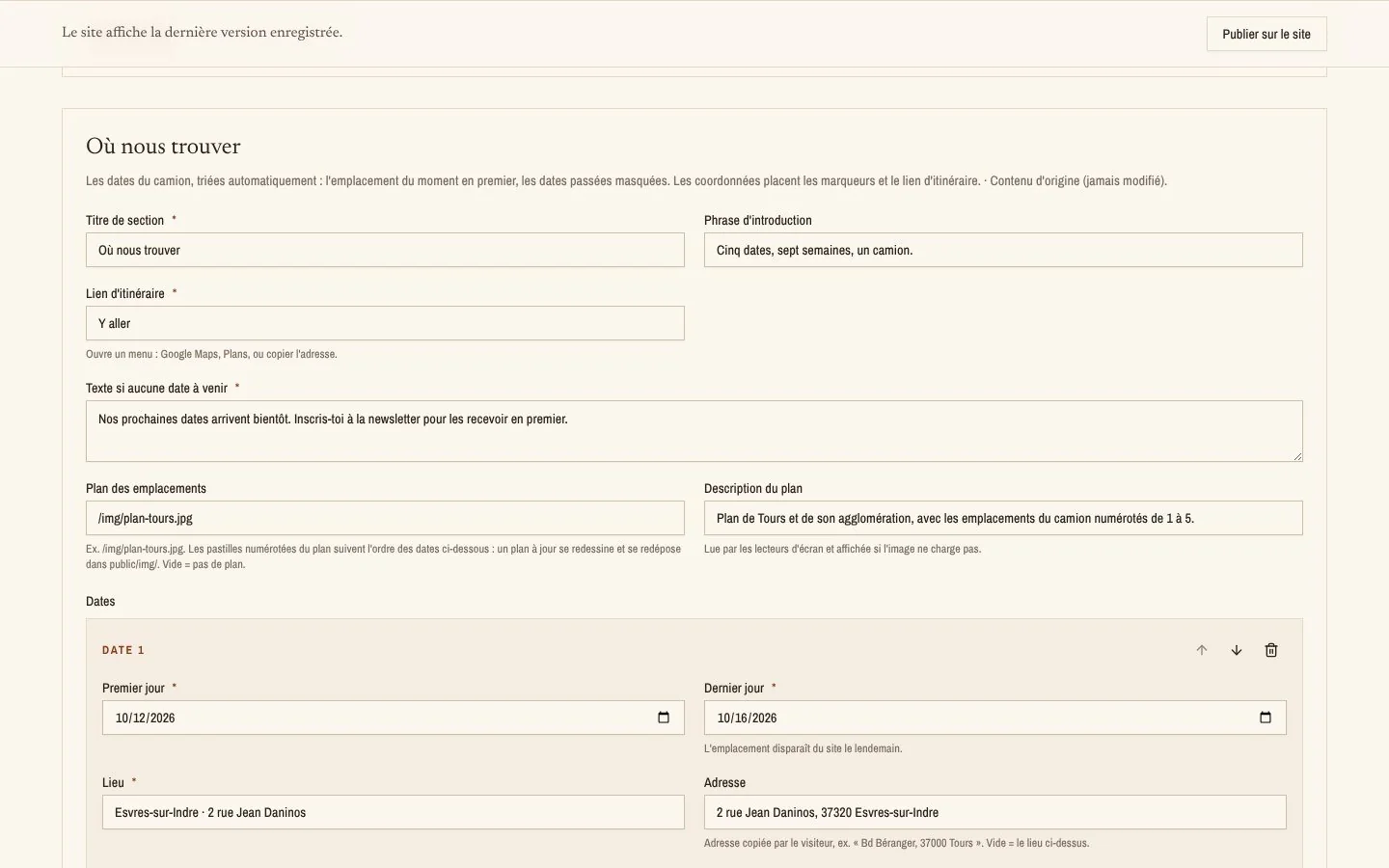
- Saving is not publishing.
The founder prepares several sections, reviews them, and only puts them online when he wants to. A line at the top of the screen always says whether the site shows the latest version.
- Bold, and nothing else.
Taglines such as “C’est bon parce que c’est vrai.” go through a Tiptap editor limited to bold, stored as text, never as HTML. There is no way to break the layout.
- Protected twice.
A password at the door, then a check in every page and every action: never rely on the front door alone. Pages kept out of search engines, never cached, no subscriber data in the logs.
05 · forms
Sign-ups, reviews, messages
Three forms, a single path. Every submission goes through Vercel BotID, an invisible honeypot field and a minimum filling time, then is written to Neon before anything else. Sign-ups are then copied to Brevo, after the visitor has their answer; unsubscriptions come back through a webhook, and a nightly job resyncs everything. There is only one list of subscribers, wherever people sign up.
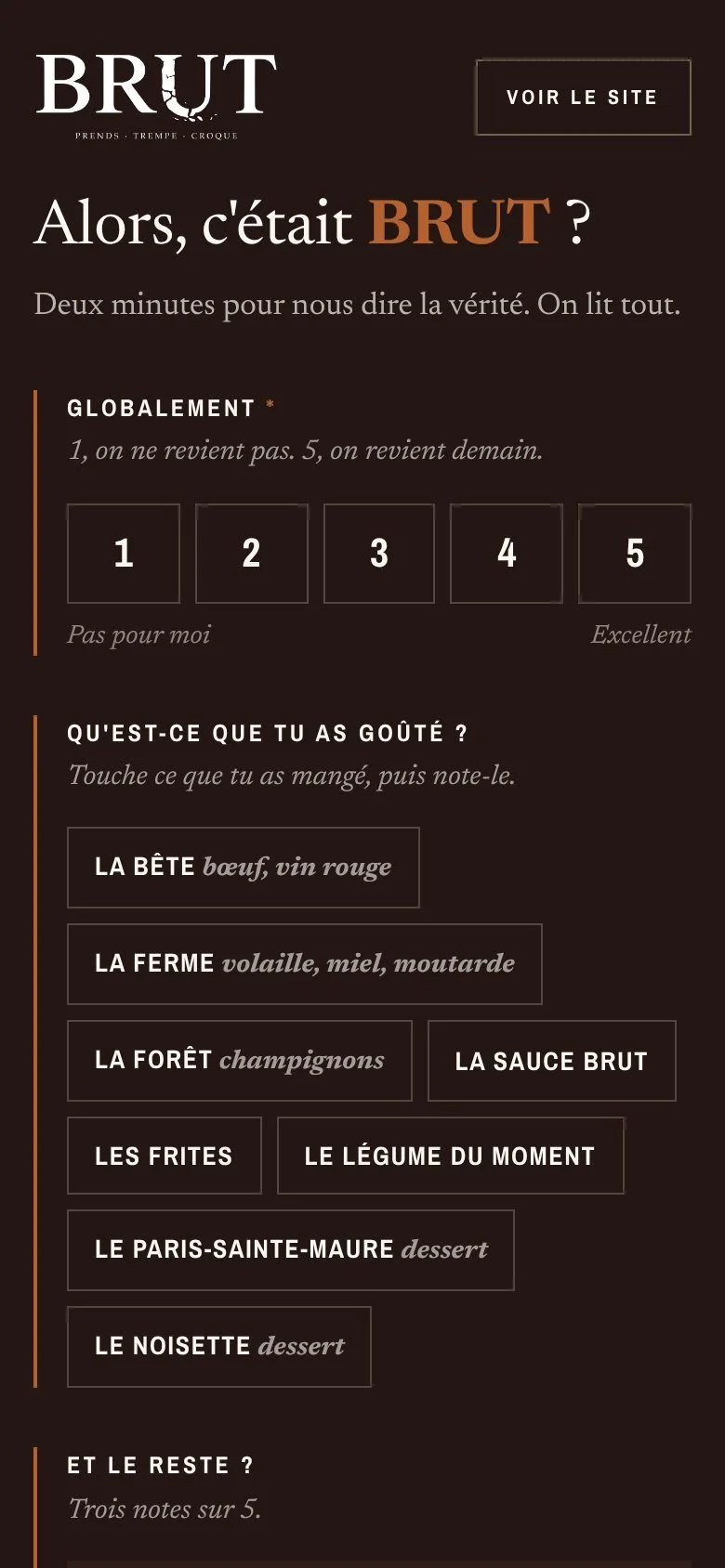
Reviews come in through a QR code stuck on the truck. The page it opens is neither in the navigation nor in search engines: two minutes, a rating, the recipes tasted. The button to Google reviews is shown to everyone, whatever the rating: Google requires it, and it is more honest.

06 · finishing
The details that matter
- A video that really starts.
Two encodings (HEVC for Retina screens, H.264 as a fallback), a version turned a quarter turn for phones in portrait, a blurred poster image. And an iOS bug tracked down: a video element without a source in the server render made the native play button appear.
- Photos prepared by hand.
1,600 px wide for dense screens, sRGB profile, mozjpeg compression: a 254 MB source video became about fifteen megabytes.
- Functions in Frankfurt,
next to the database, rather than in the United States by default.
- Two audits before calling it “done”.
Performance and security first (a critical vulnerability fixed by a Next.js update, security headers), then a regulatory audit: a complete privacy policy, a consumer mediator, the service providers named.
- Local SEO.
Structured data for a food establishment and its menu, generated from the content, and a sitemap dated from the last publish.
07 · performance
Measure, then lighten
A food truck’s site is read standing up, on a phone, with the kind of 4G you get in a car park. So I measured it in bad conditions: Lighthouse, an emulated mid-range phone, simulated slow 4G, three runs per page in production, and the median. Then I lightened what was heavy, and measured again.
- 87 → 98
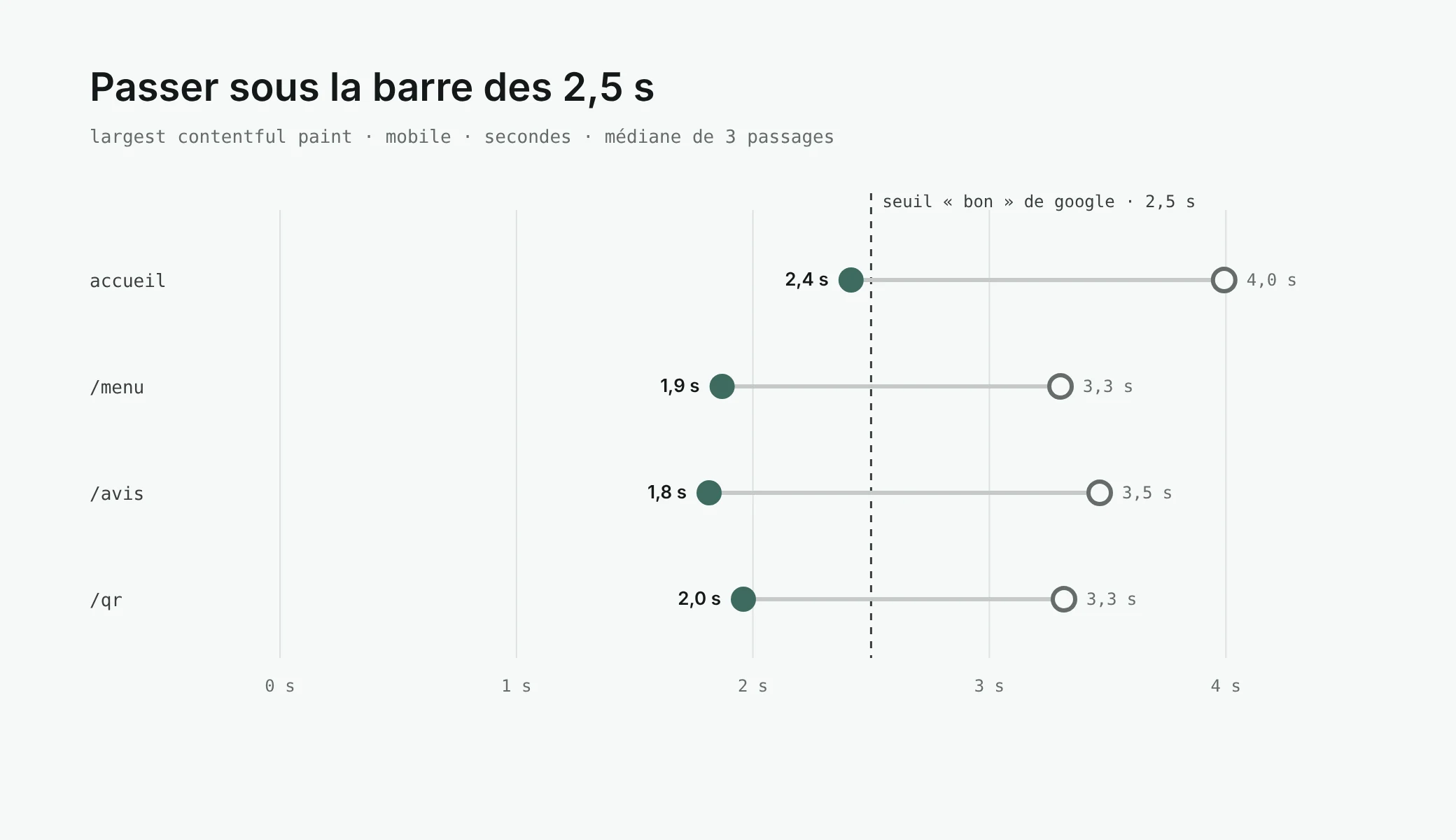
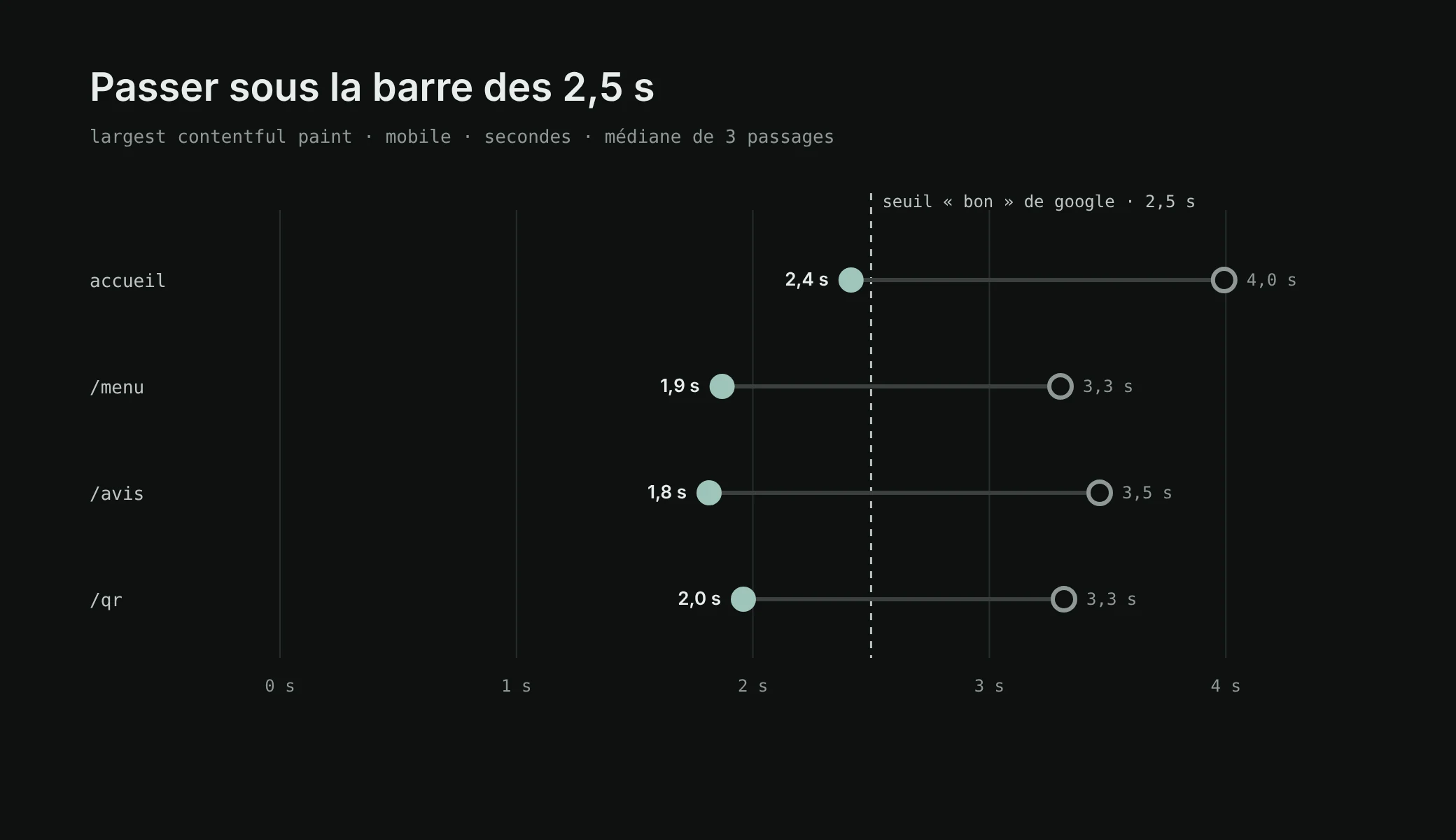
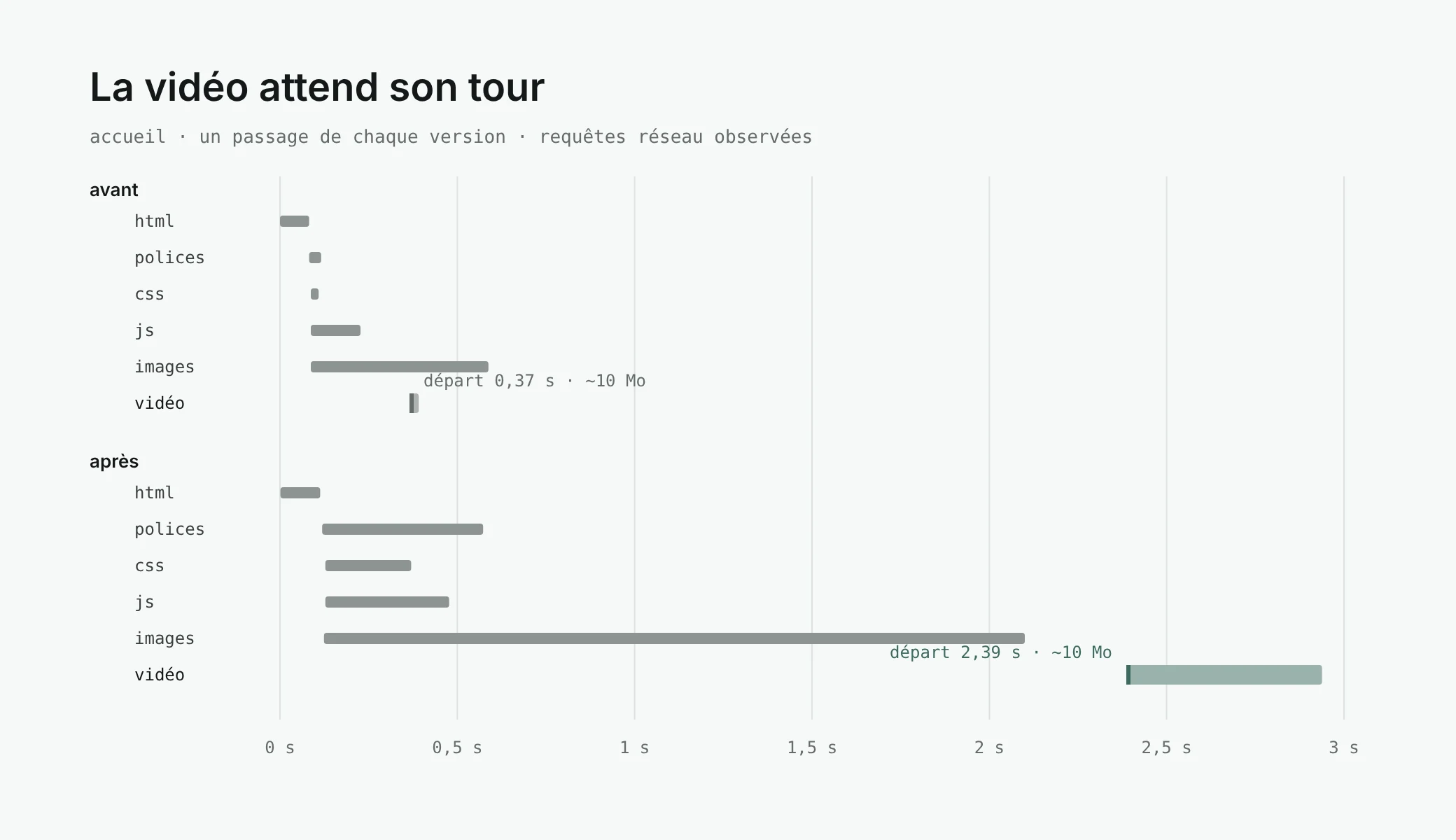
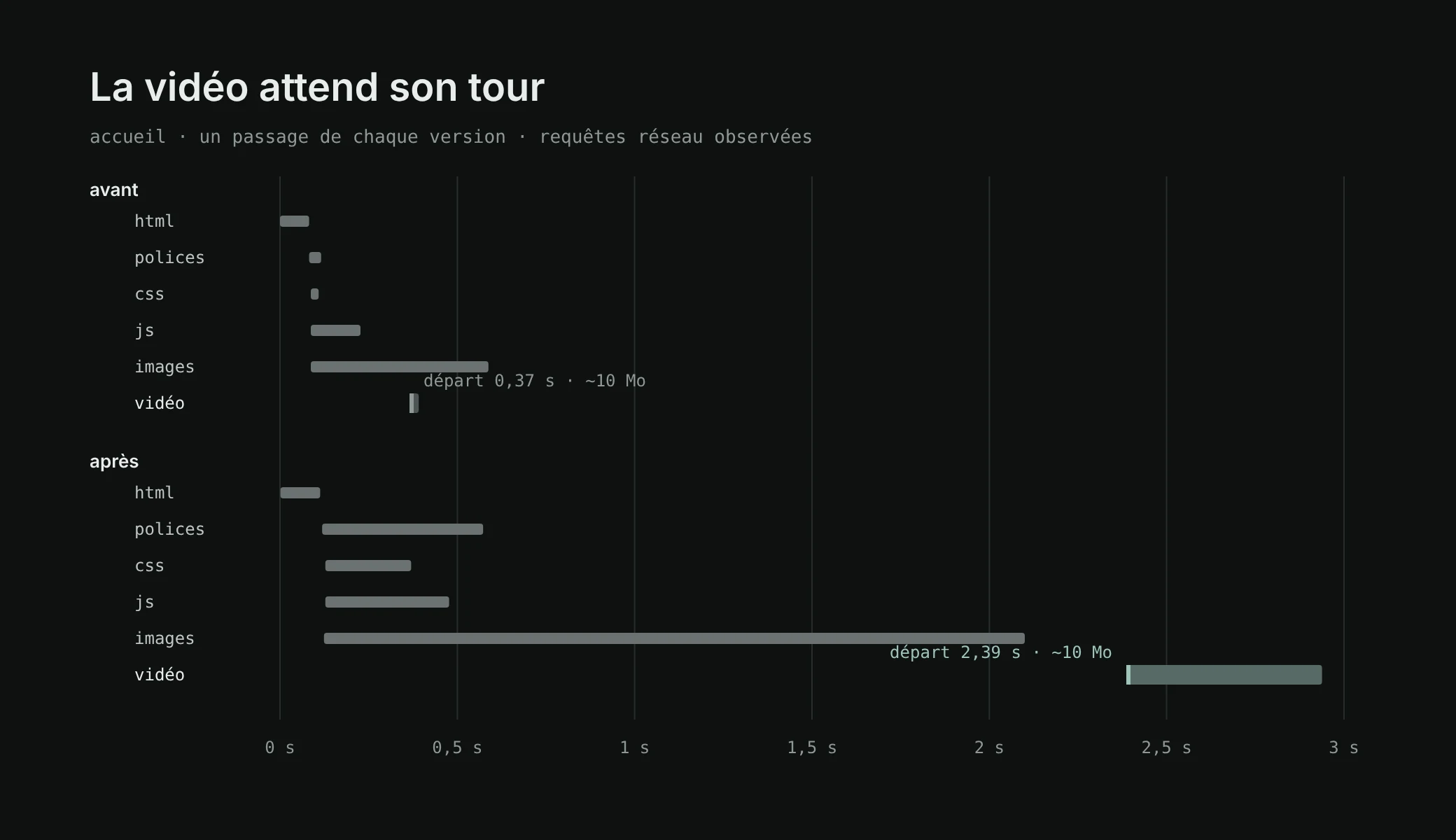
- 4.0 → 2.4 s
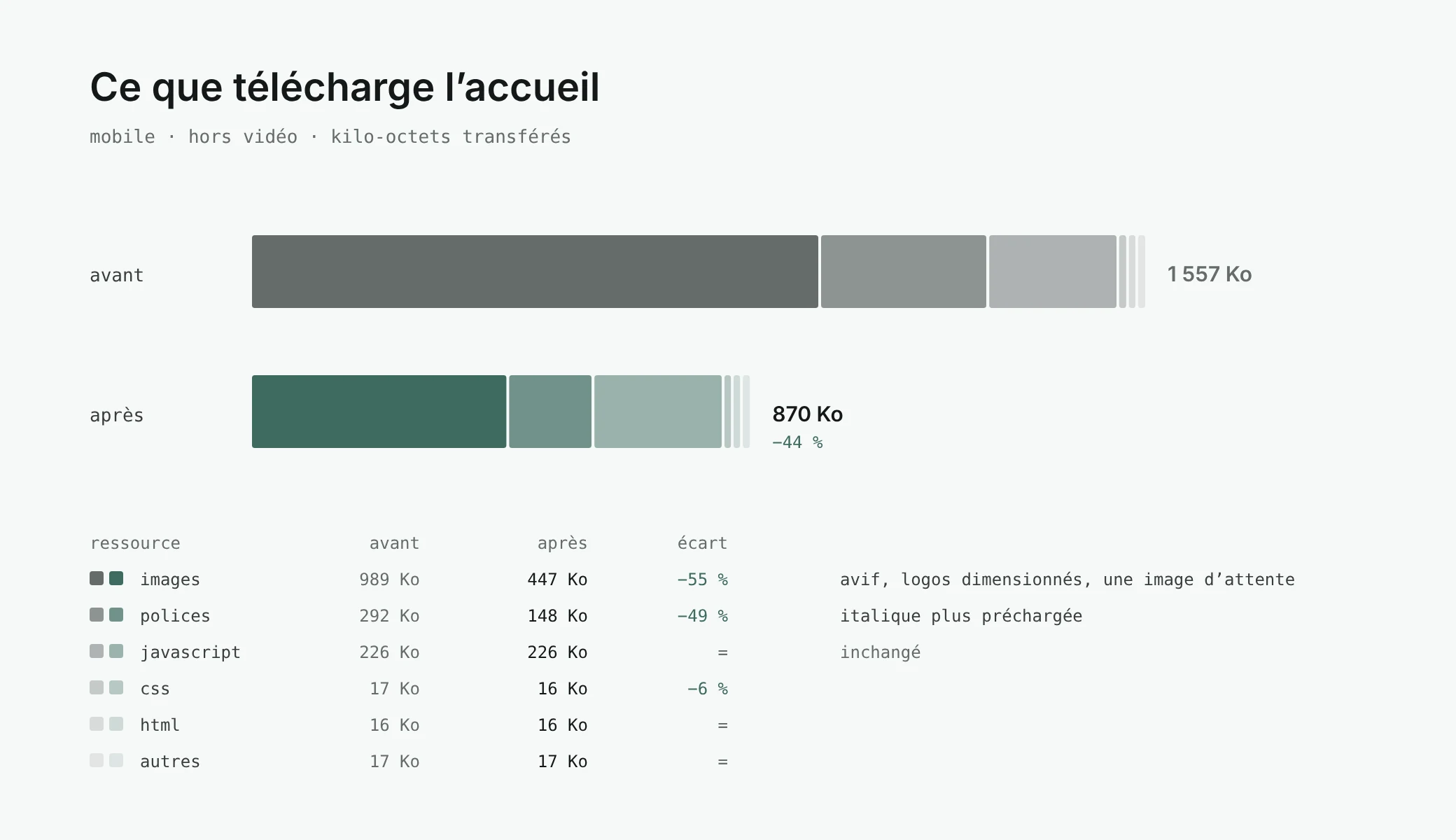
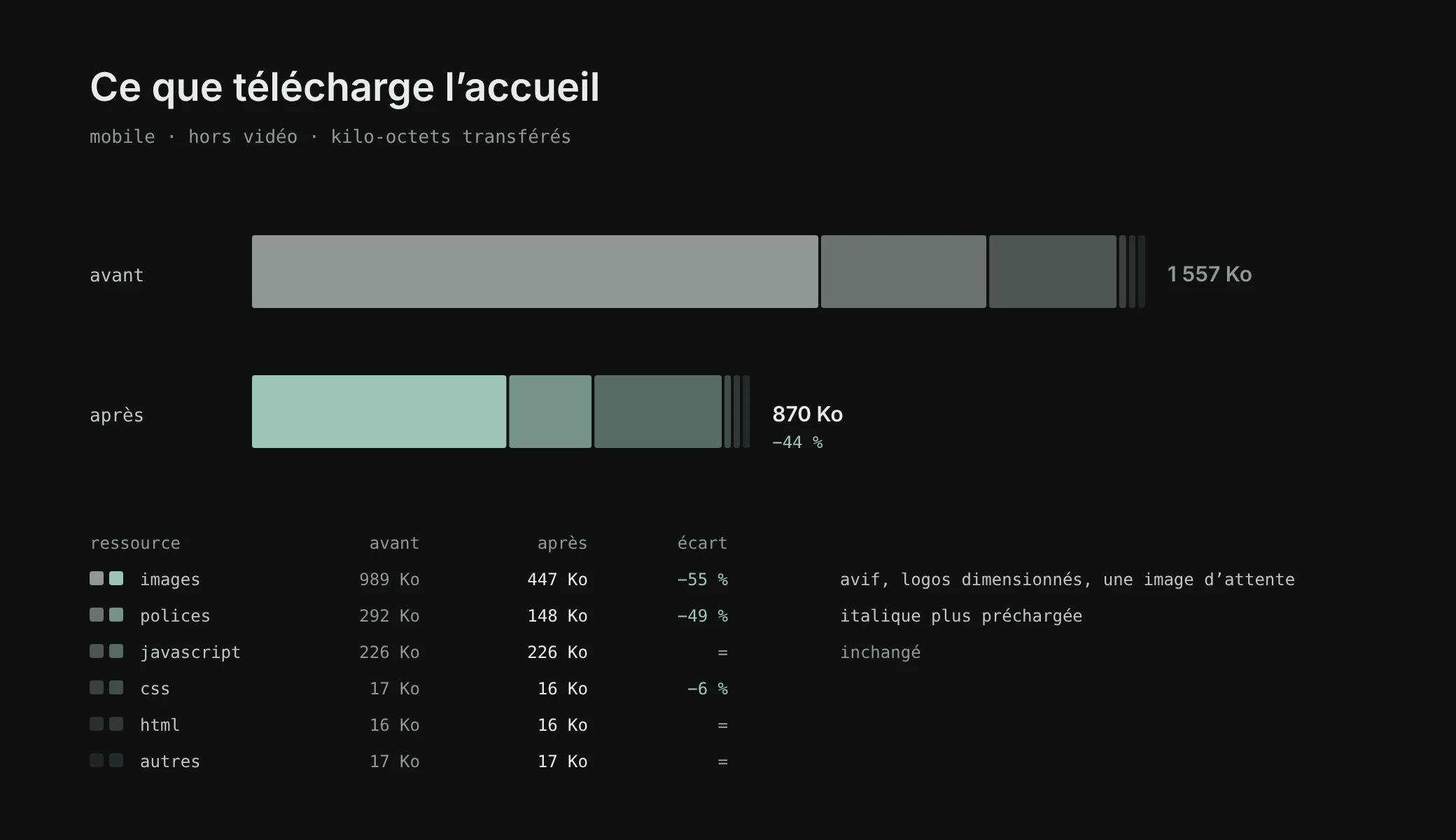
- −44%
- −55%
- 100 / 100
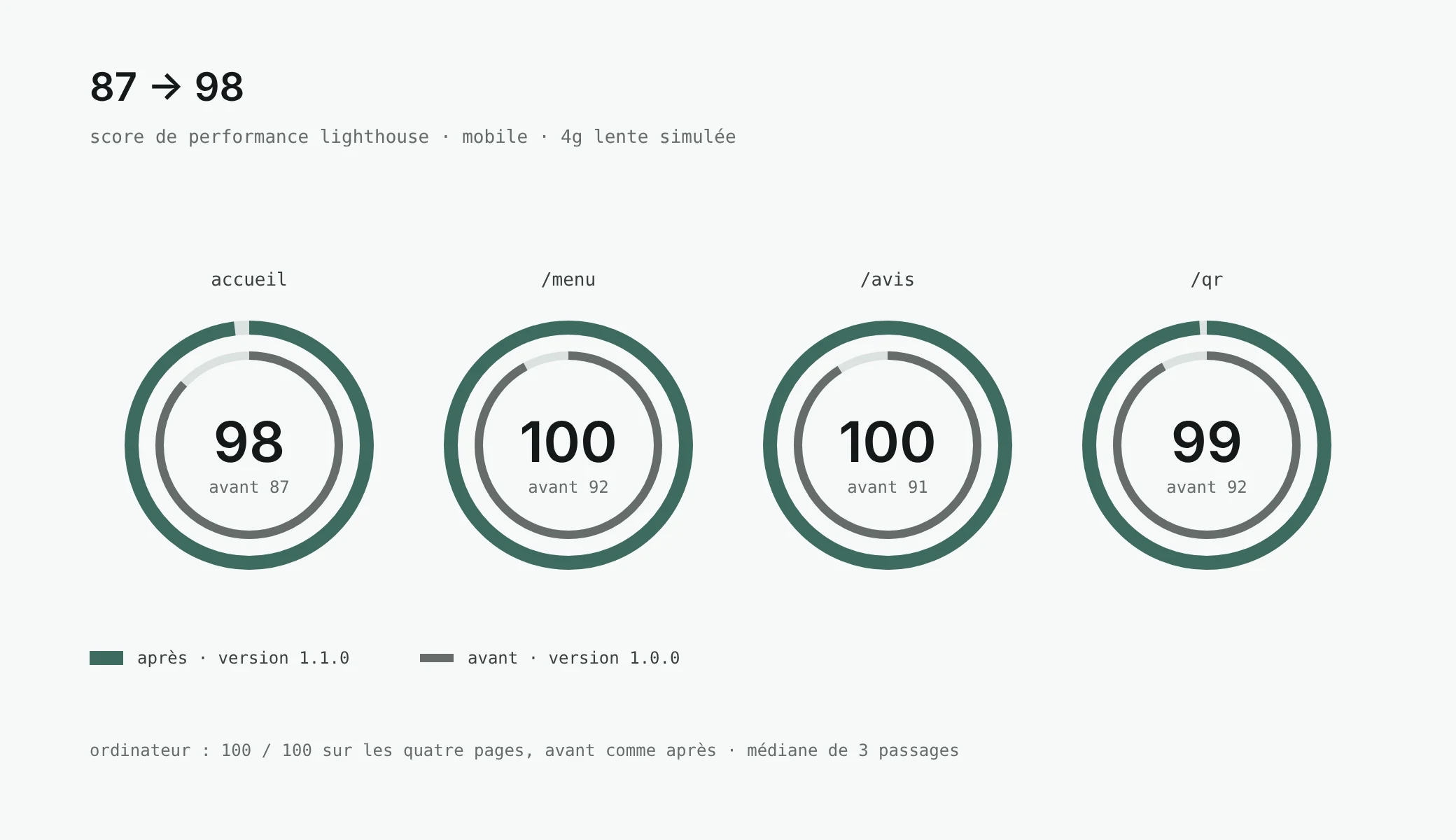
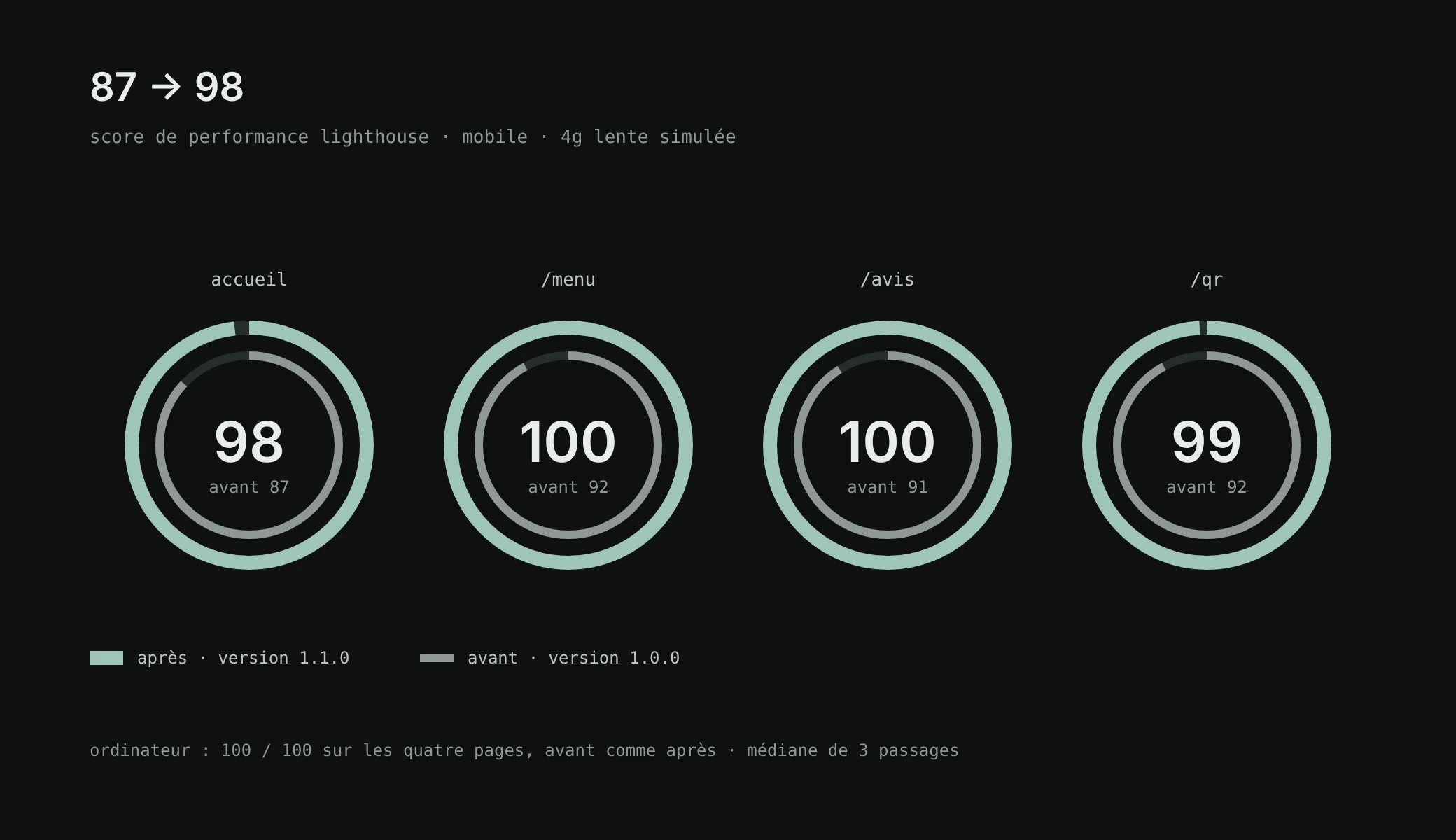
The weak spot was the LCP, the time it takes to display the largest visible element: 4 seconds on the home page, above the 2.5 s Google considers good. With version 1.1.0, all four pages get under the bar.
Five changes, nothing visible
- Images in AVIF,
with WebP as a fallback: the photo of La Bête goes from 210 to 83 KB.
- A single poster image for the video,
in a
pictureelement that picks landscape or portrait, instead of two preloaded images. - Logos at the right size.
Without a
sizesattribute, they were sent 1,920 px wide for 72 to 360 px displayed. - The video after the page.
It is only added once the page has loaded, and never in data saver mode, on 2G, or when the visitor asks for reduced motion.
- The italic font is no longer preloaded:
the browser only downloads what is displayed.
What I tried, then dropped
- CSS inlined in the HTML.
One network round trip saved, but the CSS was copied into the RSC payload: the compressed HTML of the home page went from 17 to 65 KB.
- A re-encoded video.
10 MB became 4, at the cost of visible blocks on the frying bubbles. A re-encode is done from the 4K original, not from the published file.
- A lighter font.
Removing the optical size axis of Newsreader halved the font, but changed the drawing of the large titles. The typographic choice won.
Lighthouse 13.5, three runs per page in production, median kept. Mobile: emulated Moto G Power, simulated slow 4G, CPU slowed down four times. No layout shift (CLS 0), a server that answers in 5 to 16 ms thanks to pre-rendered pages, accessibility from 96 to 100, best practices and SEO at 100 on the indexed pages.
08 · handover
Handing over
For what goes beyond the admin, I prepared a handover to someone who does not code. A file of instructions for a coding assistant: speak without jargon, announce before acting, one question at a time, always suggest the admin before touching the code, and never put anything online without an explicit “yes”. All it takes is to open the folder and write “put it online” or “change the price of the box of 5”.
Behind it, the safety net: documentation with one page per topic, a log where each request fits on one line, and 137 tests (unit tests, then journeys on desktop and phone) run on every push, plus smoke tests on the live site after each production release.
My goal: making my clients autonomous.
- 3 weeks
- 47
- ~14,000
- 137
- 19
09 · takeaways
What I take away
- Show rather than describe.
Three versions online side by side settled in a day what a meeting would not have settled.
- The simplest often wins.
An image instead of an interactive map, bold instead of a rich text editor.
- The client’s feedback is the roadmap.
The log holds dozens of them, each recorded on one line with the files it touched.
- Documentation is part of the deliverable.
It is what makes the site autonomous, much more than the code.
- Measure before optimising.
Three runs, a simulated slow phone, and leads dropped when the gain cost more than it brought.
Photos, video and map: their authors, credited on the BRUT site.